
Does the Galaxy Fit3 have GPS? How to work out with your iPhone's GPS
It has no GPS of its own, but it uses your iPhone's. The Samsung Galaxy Fit3 (Fit 3, SM-R390) asks the phone for its location when you work out outdoors. With Fit3 Bridge 2.0, that phone is your iPhone: the band shows time, distance, pace and heart rate when you walk, run, ride a bike or hike, and the route is saved to Apple Health.
Step by step
Open Work out
In Fit3 Bridge, go to My Health and scroll down to Work out. On the “Work out with GPS” card, tap Walk, Run, Bike or “All” to see the 28 exercises with GPS.
Allow location
The first time, tap Continue. Turn on workout routes in Apple Health and allow location “Always”: that way it works with the iPhone locked and when you start from the band.
Wait for the signal
Outdoors, “Looking for GPS…” turns into “GPS ready” within a few seconds.
Start
Tap Start, or start the exercise on the band: the iPhone sends it the location every second. You can put the iPhone in your pocket.
Finish
If you started it in the app, touch and hold End (or end it on the band); if you started it on the band, end it on the band. You see the summary with the route, and the workout goes to Apple Health with the map.
What do you see on the band and on the iPhone?
- On the band: time, distance, pace (or speed on a bike) and heart rate.
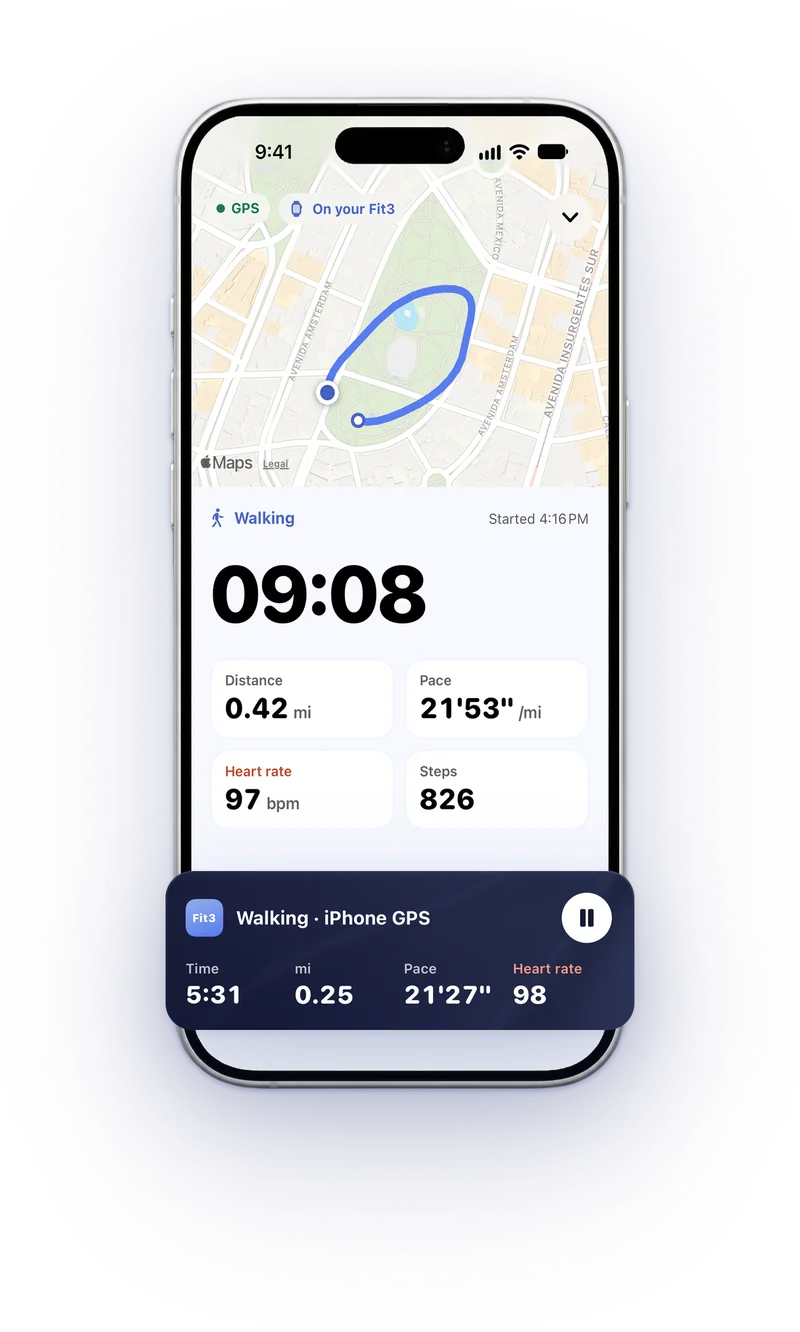
- In the app: the live map with your route, your steps when you walk or run and, if you started it in the app, the Pause and End buttons.
- With the iPhone locked: the Live Activity shows time, distance, pace (or speed on a bike) and heart rate on the Lock Screen and in the Dynamic Island. If you started on the band, it appears when you open the app.
- Auto-pause: when you walk, run or pedal, the workout pauses by itself when you stop.
Over 100 workouts
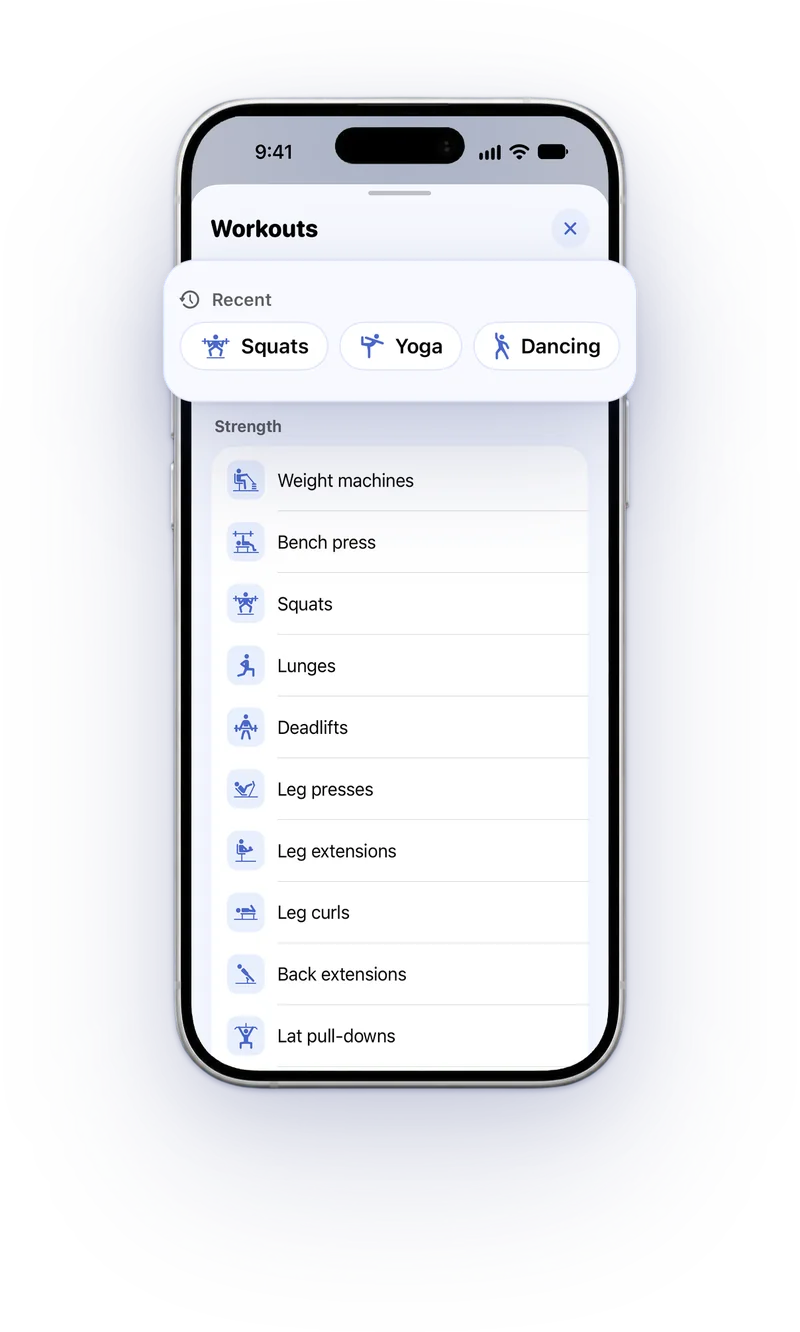
Fit3 Bridge has 102 exercises. 28 use the iPhone's GPS: walking, running, cycling, hiking, skiing, rowing and more. The other 74 work without GPS, like strength, yoga or dance: the band measures time, heart rate and calories, and you can set a time or calorie goal. In 8 of them you can turn on “I'm carrying my iPhone: record route”.
Apple Health and the route
Each workout is saved to Apple Health with its pauses, heart rate, calories, the distance in sports that Health records it for (walking, running, cycling, skiing…) and, if you used GPS, the route on the map. If you started it on the band, the band sends it to Health when it syncs, already with the iPhone's route.
Good to know
- Take your iPhone with you: the band has no GPS, and if it loses the iPhone for a few seconds, it ends a workout you started in the app.
- GPS works outdoors; indoors it may not find a signal.
- The band doesn't count reps: for strength it measures time, heart rate and calories.
- Working out in the app, with or without GPS, is part of the full version. The 3-day trial includes it.
Frequently asked questions
Does the Galaxy Fit3 have built-in GPS?
No. The Fit3 has no GPS: on walks, runs and bike rides it asks the phone for the location. With Fit3 Bridge, your iPhone provides it.
Does it work with the iPhone locked in my pocket?
Yes. Allow location “Always” and Precise Location: GPS keeps running even with the iPhone locked, and the band shows the distance on your wrist.
Can I start the workout from the band?
Yes, once you've turned it on in the app (steps 1 and 2: Continue and location “Always”). Then start the exercise on the band as usual: the band asks the iPhone for GPS and Fit3 Bridge sends it, even with the app in the background. Without “Always”, the band records it without GPS.
Does it count reps or sets?
No. The Galaxy Fit3 doesn't count reps. For strength, yoga or dance it measures time, heart rate and calories, and you can set a time or calorie goal.
Does it sync to Strava?
Not yet. Your workouts are saved to Apple Health with the route.
How much does it cost?
Working out in the app, with or without GPS, is part of the full version of Fit3 Bridge: one payment, no subscription (US$5.99 in the US; in other countries, the local App Store price). The 3-day trial includes everything.